


DIY Wallpaper Maker Collage
4.3100.00 Reviews
App Specs
- Version
- 1.1.2
- Updated On
- License
- Free
- Downloads
- 5,000,000+
- Developer
- LeafMotion Software
- Categories
- Personalization
- Platform
- Android
Screenshots
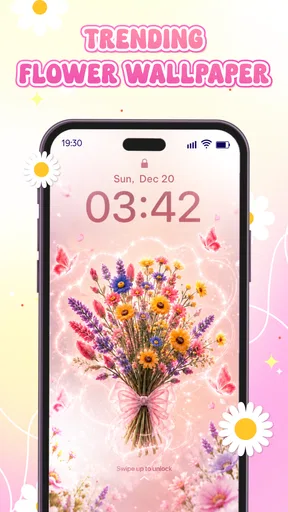
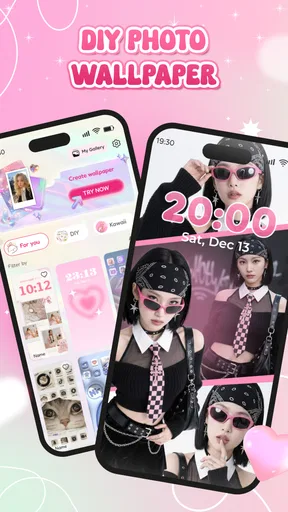
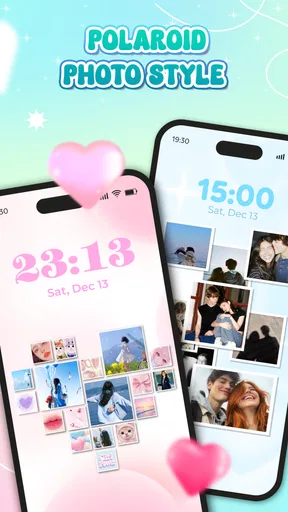
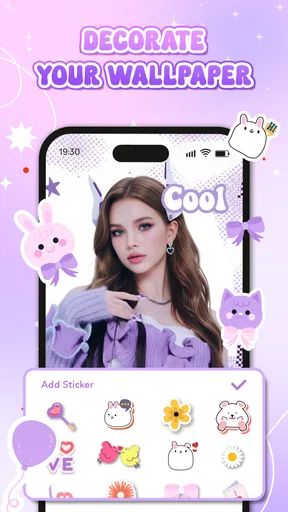
 Analysis by AppCompare
I usually start a wallpaper project with a practical problem: a photo I like is too busy behind my icons, or a plain background feels a little impersonal. DIY Wallpaper Maker Collage is aimed at that in-between task: turning personal images and decorative choices into a screen design rather than simply picking a ready-made picture. I see the appeal most clearly when you want your home screen to feel like yours without opening a full desktop design program.
This is a free personalization app from LeafMotion Software, rated for Everyone, and it runs on Android 8.0 or later. Its current version is 1.0.8. The app has passed one million installs, with an average rating of 3.6 from around two thousand ratings. Those figures suggest a widely tried tool with mixed reactions, so I would approach it as a hands-on creative utility, not assume it will suit every wallpaper habit.
Start with the screen you want to improve
Before choosing a template or adding decoration, I would decide what the wallpaper needs to do. Is it mainly a keepsake collage, a calm background that leaves app icons easy to see, or a small reminder you want to notice during the day? That choice matters because a design that looks lively in an editor can become distracting once it sits behind a clock, widgets, and rows of icons.
A useful starting point is to choose one clear focal image and treat the rest as supporting material. For a family or travel collage, that might mean keeping the most meaningful photo prominent and using textures or stickers sparingly. For a simpler screen, a restrained background and a short line of text may work better than filling every open area. The app’s DIY approach gives you room to try either direction, but the best result still depends on making deliberate choices.
Unleash Your Inner Artist
First things first, the DIY Wallpaper Maker Collage is all about creativity. When you open the app, you're greeted with a user-friendly interface that's designed to make your artistic journey as smooth as possible. You don't need to be a professional designer to create something fabulous; the app is intuitive enough for beginners but also packed with features for those who love to experiment.
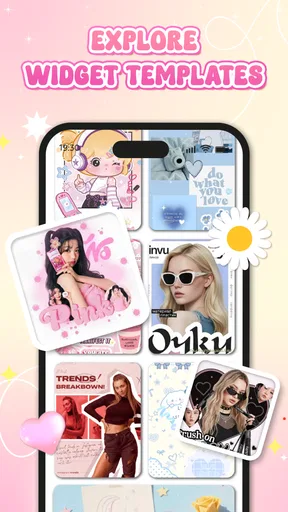
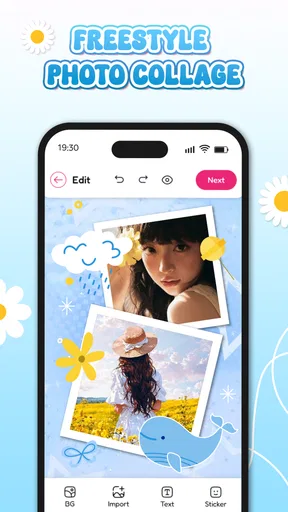
One of the standout features is the vast array of templates and design elements. Whether you're into minimalistic vibes or more vibrant, colorful styles, there's something here for everyone. You can choose from hundreds of stickers, backgrounds, and textures to layer onto your canvas. The drag-and-drop functionality is a breeze, making it easy to move elements around until you find that perfect layout.
Build the layout with a purpose
Once the basic idea is clear, I would work from the largest visual pieces toward the smallest. Place the photos or background first, then adjust the arrangement before adding stickers, texture, or type. That order helps avoid a familiar editing trap: spending time polishing a tiny decorative detail, only to discover that the main image is competing with the screen’s icons.
Worth Reading Before You Choose

EA SPORTS FC Mobile 26 Is a Bigger Football Game, but It Takes Time

Flipboard Shows What News Apps Must Do Beyond the Feed

Switching to Android Auto Means Rethinking Your Driving Routine

Google Calendar Makes a Crowded Week Easier to Manage

Ludo King Makes the Most of the Minutes Between Plans

Baby Panda World Brings Quick Play to Modern Phones, but Its Game Library Feels Busy
Collage-making also benefits from restraint. If several photos have different lighting or colors, a busy collection of stickers can make the whole composition feel even less unified. I would pick one visual thread—perhaps a shared color, a repeated shape, or a consistent mood—and let that tie the pieces together. That is a useful way to make a collection of unrelated snapshots feel intentional without needing advanced design skills.
Features That Shine
Let's talk about some of the features that really caught my eye. The DIY Wallpaper Maker Collage offers a robust set of editing tools that allow you to tweak every little detail. From adjusting brightness and contrast to adding filters and effects, the control is at your fingertips.
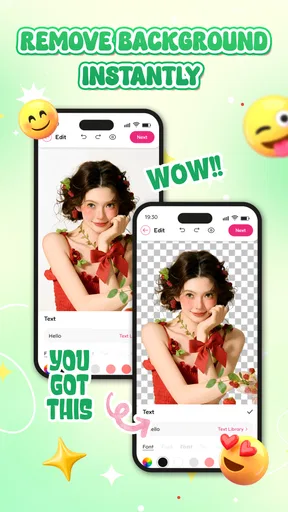
One of my favorite features is the text tool. You can add custom text to your wallpapers with various fonts and color options. It's perfect for those motivational quotes or personal messages you want to see every time you unlock your phone. Plus, there's a great layering system that lets you stack different elements and adjust their transparency, giving you a ton of creative freedom.
For text that needs to remain readable, I would keep the phrase short and test it against the busiest part of the composition. A quote may look balanced on the editing canvas but become hard to read under app labels or a clock. The same goes for transparency: lowering the strength of a decorative layer can calm a design without removing it, while a filter can help bring photos with different tones closer together. These small finishing choices can make a wallpaper feel considered rather than crowded.
From finished design to everyday screen
And let's not forget about the export options. Once you're done crafting your masterpiece, saving it in high resolution is a cinch. You can also share your creation directly to social media or use it as your wallpaper with just a tap.
I would treat the saved image as a design that still needs a real-screen check. A preview in an editor is not quite the same as seeing the wallpaper behind your actual icons and widgets. If you are making a collage for your own phone, try it as the background and notice whether important faces, text, or details disappear beneath interface elements. If the design is intended for someone else, sharing the image gives them a chance to set it up on their device and check the fit themselves.
That handoff is worth thinking about if you make wallpapers as gifts. A collage for a friend can be shared as a finished image, but the recipient may have a different screen arrangement and personal taste. I would leave breathing room around the edges and avoid placing essential details where a clock or icons are likely to sit. A thoughtful layout travels better than one that only works in the editor.
Where the creative flow can snag
Of course, no app is perfect, and this one has its quirks. While the app is packed with features, some users might find the sheer number of options a bit overwhelming at first. The learning curve isn't steep, but it might take a few tries to get the hang of everything.
My practical advice is to make a first draft quickly rather than trying to master every control at once. Start with a template or a small set of elements, save a version you like, and then experiment with a duplicate or a fresh variation. That keeps experimentation from turning into a long editing session where it becomes hard to remember which change improved the design. For someone who only wants a background immediately, though, even a short creative process may feel like unnecessary work.
Another point to consider is that while many features are free, some premium elements and templates are locked behind in-app purchases. It's not a deal-breaker, but if you're looking for a completely free experience, it's something to keep in mind.
Who will get the most from it
I think the strongest fit is someone who likes personal photos and wants more control than a standard wallpaper picker offers. It can be useful for a monthly photo refresh, a small collection of vacation images, a birthday-themed screen, or a background that pairs a simple color scheme with a personal message. A realistic use would be making a collage from a few weekend snapshots on the way home, then checking it against the phone’s icons before keeping it as the new background.
It is less compelling if your priority is browsing a huge feed of finished wallpapers and applying one immediately. A dedicated wallpaper library is usually the simpler route for that. Likewise, someone who needs precise layout controls for a polished client design may prefer a more advanced graphics editor. This app’s strength is approachable, personal composition; it is not automatically the best tool for every kind of image work.
Compared with a basic photo editor, the collage-focused approach gives you a more direct path from several images and decorative elements to a screen background. A general editor may offer broader image manipulation, but it can also make the simple job of arranging a few pictures feel like overkill. Compared with a ready-made wallpaper app, this one trades instant choice for customization: you spend more time shaping the result, but you can make it reflect your own photos and message.
A balanced choice for personal screens
All in all, DIY Wallpaper Maker Collage is a fantastic app for anyone looking to add a personal touch to their device's wallpaper. Its combination of ease of use and powerful features make it a standout choice in the world of wallpaper apps. Whether you're an experienced designer or just looking for a fun way to spice up your phone, this app has something to offer.
My recommendation is to try it when you have a specific idea to build, rather than expecting it to replace every wallpaper source or image editor on your phone. Keep the composition simple, check how it reads behind your icons, and remember that some decorative choices may sit behind a purchase prompt. If that balance suits you, the app can turn a few personal images into a screen that feels more deliberate than a default background.
Ready to unleash your creativity? Grab your phone and give DIY Wallpaper Maker Collage a try. Who knows, you might just discover a hidden talent for design!
Pros
- Easy-to-use interface for quick design.
- Wide variety of templates available.
- Seamless integration with photo libraries.
- High-quality export options for crisp images.
- Regular updates with new features and fixes.
Cons
- Limited free features
- requires in-app purchases.
- Some templates are not customizable.
- Occasional ads can interrupt workflow.
- Lacks advanced editing tools for professionals.
- Requires stable internet for downloading templates.
FAQs for DIY Wallpaper Maker Collage
What is DIY Wallpaper Maker Collage, and how does it work?
DIY Wallpaper Maker Collage is a creative app that allows users to design personalized wallpapers using a variety of templates, stickers, and editing tools. The app offers an intuitive interface where you can mix your photos, add text, and apply filters to create unique and eye-catching wallpaper designs for your device.
Is DIY Wallpaper Maker Collage available for both Android and iOS?
Yes, DIY Wallpaper Maker Collage is available for download on both Android and iOS platforms. You can find it on the Google Play Store for Android devices and the Apple App Store for iOS devices, ensuring compatibility with a wide range of smartphones and tablets.
Does DIY Wallpaper Maker Collage offer any in-app purchases or subscriptions?
DIY Wallpaper Maker Collage is free to download and use, but it does offer in-app purchases. These purchases can unlock additional features, such as premium templates, exclusive stickers, and advanced editing tools, allowing for even more customization options in your wallpaper creations.
What are the main features of DIY Wallpaper Maker Collage?
The app boasts a variety of features including customizable templates, a vast collection of stickers, text options with various fonts, and photo editing tools like filters and adjustments. These features make it easy to create personalized wallpapers that reflect your style and preferences.
Is DIY Wallpaper Maker Collage user-friendly for beginners?
Yes, DIY Wallpaper Maker Collage is designed with user-friendliness in mind, making it accessible for beginners. The intuitive layout and easy-to-follow instructions guide users through the process of creating wallpapers, ensuring that even those new to digital design can produce professional-looking results.


